

There’s nothing more frustrating than settling in to watch your favourite show or a crucial sports match, only to be greeted by the endless spinning circle of IPTV buffering.
For thousands of UK viewers, this interrupted streaming experience has become an all-too-common annoyance that ruins the entertainment value of IPTV services.
Whether you’re using a Firestick, Android box, or Smart TV, these IPTV problems UK users face can stem from various sources from your home network to your service provider’s servers. The good news is that most of these issues are solvable with the right knowledge.
This comprehensive guide will walk you through the most common IPTV problems in the UK and provide practical, step-by-step solutions to get you back to seamless, buffer-free streaming.
Table of Contents
1. Common IPTV Problems UK Users Face
UK IPTV users typically encounter a predictable set of issues that disrupt their viewing experience. Understanding these common problems is the first step toward resolving them:
- Buffering and Lagging During Live Streams: This is the most frequent complaint, where the video pauses to load more content, creating frustrating interruptions during live events and movies . It often manifests as a spinning wheel or loading icon that breaks your viewing immersion.
- Freezing Screens or App Crashes: Your stream might play smoothly for a while then suddenly freeze, requiring you to restart the app or device . In more severe cases, the entire IPTV application may crash and close unexpectedly.
- Channel Loading Errors and “No Signal” Messages: You select a channel but instead of your program, you’re greeted with a blank screen, error message, or a “No Signal” notification . This often indicates connection issues between your device and your IPTV provider’s servers.
- Pixelated Video Quality or Blocky Images: The picture quality deteriorates, showing blurred or fragmented images that make content unwatchable . This often happens when your connection can’t handle the selected video quality.
- EPG (Electronic Program Guide) Not Updating: Your TV guide fails to load or shows outdated program information, making it difficult to see what’s currently playing or what’s coming up next .
- Login and Subscription Errors: Authentication failures prevent you from accessing your service, despite having an active subscription . These messages often indicate issues with your account status or provider server problems.
2. Why These IPTV Problems Happen
Most IPTV issues stem from a handful of root causes. Identifying the source of your problem is crucial for applying the correct solution:
- Unstable or Slow Internet Connection: IPTV streaming is data-intensive, especially for HD and 4K content . If your internet speed is insufficient or fluctuates significantly, buffering and quality degradation are almost inevitable. The minimum recommended speed is at least 10 Mbps for HD streaming and 25+ Mbps for 4K content .
- Wi-Fi Signal Interference and Weakness: Wireless connections are susceptible to interference from walls, other electronic devices, and distance from your router . A weak Wi-Fi signal is a leading cause of unstable streaming.
- ISP Throttling: Some Internet Service Providers in the UK may intentionally slow down your connection when they detect high-bandwidth activities like streaming, a practice known as throttling . This can cause buffering even when your internet plan should technically be fast enough.
- Overloaded IPTV Servers or Low-Quality Providers: During peak viewing hours (evenings, sports events), your IPTV provider’s servers may become overloaded with too many users . Some providers also use underpowered servers or lack proper infrastructure, leading to consistent performance issues.
- Outdated IPTV Apps or Device Software: Using outdated versions of your IPTV app or device firmware can lead to compatibility issues, bugs, and performance problems that manifest as freezing or crashes .
- Insufficient Device Performance: Older streaming devices or those with limited processing power and RAM may struggle to decode and play high-quality streams smoothly, causing lag and buffering .
3. Step-by-Step Fixes for IPTV Problems
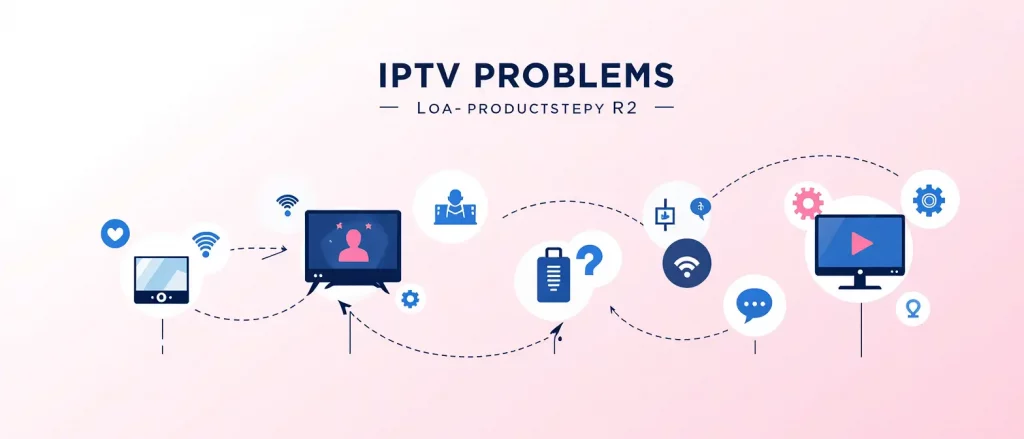
Follow these practical solutions to resolve your IPTV issues, starting with the simplest fixes first:
- Restart Your IPTV Device and Router: Power cycling your equipment can resolve temporary glitches and refresh your network connection . Turn off your streaming device and unplug your router for 30 seconds before plugging them back in . This simple step fixes many common issues.
- Check and Improve Your Internet Connection: Run a speed test using services like Speedtest.net. If your results are below recommended levels:
- Use a Wired Ethernet Connection: For the most stable performance, connect your streaming device directly to your router using an Ethernet cable . This eliminates Wi-Fi interference entirely.
- Switch to 5GHz Wi-Fi: If Ethernet isn’t possible, ensure you’re using the 5GHz band on your Wi-Fi, which offers less interference and faster speeds than 2.4GHz .
- Reduce Bandwidth Competition: Disconnect other devices that may be consuming large amounts of bandwidth (gaming consoles, computers downloading updates, etc.) while streaming .
- Use a Trusted VPN to Bypass ISP Throttling: If you suspect your ISP is throttling your connection, a reliable VPN can encrypt your traffic, preventing your ISP from detecting and limiting your streaming activity . Providers like ExpressVPN and NordVPN are frequently recommended for this purpose .
- Update or Reinstall Your IPTV App: Check for updates to your IPTV application in your device’s app store . If no update is available or problems persist, uninstall and reinstall the app to clear out any corrupted data .
- Clear App Cache and Data: Over time, IPTV apps accumulate cached data that can slow down performance . Go to your device’s Settings > Applications > [Your IPTV App] and select “Clear Cache.” For more stubborn issues, “Clear Data” (note: this will reset your login settings).
- Adjust Streaming Quality Settings: If your internet can’t consistently handle high definition, lower the stream resolution within your IPTV app’s settings . Switching from 4K or 1080p to 720p can eliminate buffering on slower connections.
- Change Your DNS Settings: Sometimes, switching to a faster DNS server can improve connection times and streaming stability . Try changing your device or router’s DNS to Google DNS (8.8.8.8 and 8.8.4.4) or Cloudflare DNS (1.1.1.1).
- Contact Your IPTV Provider: If you’ve tried everything and issues persist, the problem may be with your provider’s servers . Contact their support team to inquire about server status, maintenance, or potential service issues affecting multiple users.
Try UKStreamly – Reliable IPTV Service with 99.9% Uptime Guarantee
4. Prevent IPTV Buffering in the Future
Once you’ve resolved immediate issues, implement these strategies to maintain smooth streaming:
- Use Wired Ethernet Instead of Wi-Fi: For set-top boxes and devices that remain in one place, a permanent Ethernet connection provides the most reliable foundation for buffer-free streaming.
- Choose a High-Quality IPTV Provider: Invest in a reputable provider with a track record of stable service. Look for those offering anti-buffering technology and robust server infrastructure . Always test services with free trials before committing long-term .
- Regularly Clear App Cache: Make it a monthly habit to clear your IPTV app’s cache to prevent performance degradation over time .
- Keep Your Device and Apps Updated: Enable automatic updates for your streaming device’s operating system and IPTV applications to ensure you have the latest performance improvements and bug fixes .
- Optimize Your Home Network: Consider upgrading to a modern router if yours is more than 3-4 years old. For larger homes, a mesh Wi-Fi system can ensure strong signals throughout your space.
5. When to Switch IPTV Providers
Sometimes, the problem isn’t your setup but your service. Consider switching providers if you experience:
- Persistent Buffering Despite Implementing All Fixes: If you’ve optimized your network and tried all troubleshooting steps but still experience regular buffering, the provider’s infrastructure is likely inadequate .
- Frequent Service Downtime or Missing Channels: Regular outages or consistently missing channels that other providers offer indicate unreliable service .
- Poor Customer Support and Slow Response Times: If your provider is unresponsive to support requests or unable to resolve ongoing issues, it’s a sign of poor service management .
- Outdated Content Library and Missing EPG Data: Lack of current VOD content or consistently missing program guide information shows a lack of service maintenance.
When evaluating alternatives, look for providers with transparent service status, positive user reviews highlighting reliability , and responsive customer support teams.
6. Final Thoughts
Most IPTV problems UK users encounter can be resolved through methodical troubleshooting starting with simple router restarts, progressing to network optimizations like using Ethernet connections, and potentially incorporating a VPN to combat ISP throttling. The key is to address these issues systematically, ruling out one potential cause after another. Remember that your choice of hardware matters too; newer streaming devices with sufficient processing power can significantly improve your experience .
While this guide provides comprehensive solutions for common technical problems, sometimes the most effective fix is choosing a service built on reliable infrastructure from the start. If you’re tired of constant troubleshooting and want consistent, high-quality streaming, it might be time to upgrade your service.
Ready for IPTV that just works? Choose UKStreamly for a seamless, buffer-free entertainment experience with dedicated UK support.