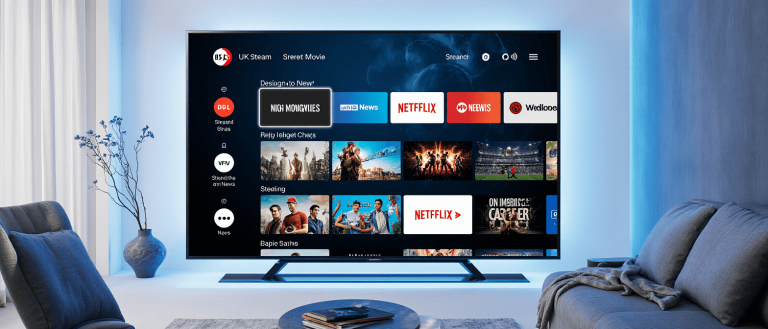


Imagine watching your favourite Premier League team, the latest Hollywood blockbuster, or a niche international channel, all without a satellite dish and without the punishing monthly contract from a traditional broadcaster. This is the reality that Internet Protocol Television (IPTV) offers to millions of UK households.
In this guide, you’ll learn what IPTV is, why it’s exploding in popularity, and most importantly how to enjoy it safely and legally in the UK in 2025.
Table of Contents
What Is IPTV and How Does It Work?
Definition of IPTV
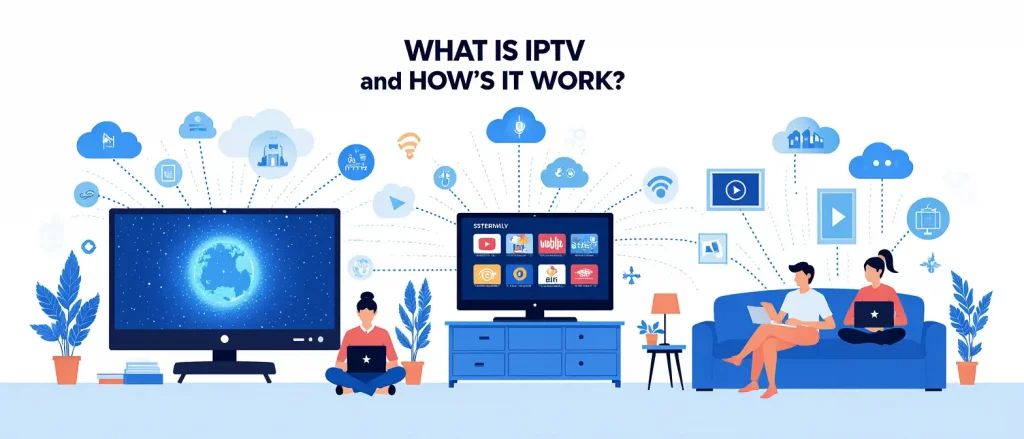
IPTV, or Internet Protocol Television, is a method of delivering television content over the internet instead of through traditional terrestrial, satellite, or cable formats. Think of it as television delivered in the same way your emails and websites are as data packets through your broadband connection.
How IPTV Differs from Cable or Satellite TV
The core difference lies in the delivery system and how you consume content.
| Feature | Traditional Cable/Satellite TV | IPTV (Internet Protocol Television) |
|---|---|---|
| Content Delivery | Broadcast via cables or satellite signals | Delivered through your broadband internet connection |
| Content Access | Fixed schedules; “appointment viewing” | On-demand flexibility; watch what you want, when you want |
| Interaction | Limited to changing channels | Pause, rewind, and record live TV; interactive features |
| Device Compatibility | Primarily your television set | Smart TVs, phones, tablets, laptops, and more |
The Technology Behind IPTV
IPTV relies on internet protocol (IP), the same set of rules that powers the entire internet. Here’s a simplified view of how it works:
- Streaming Servers: Legal IPTV providers host content on powerful, high-capacity servers. When you select a show, these servers transmit the data to your device.
- Content Delivery Networks (CDNs): To ensure smooth streaming, providers use CDNs—networks of servers distributed geographically. This means the content you request comes from a server near you, reducing buffering.
- Playlists (M3U URLs): Your IPTV subscription is often linked to your device via an M3U playlist URL. This file contains the information your IPTV app needs to locate and access the channels and content you’ve paid for.
Is IPTV Legal in the UK?
This is the most critical question for any potential user, and the answer is nuanced.
Using Licensed vs. Unlicensed Providers
IPTV itself is a legal technology. Its legality depends entirely on whether the service provider has the proper licenses to distribute the content it offers.
- Legal IPTV Services: These are providers that have official agreements and pay licensing fees to broadcasters and content creators. Examples include recognised services like Sky Go, BBC iPlayer ukstreamly, Virgin TV Anywhere, and other fully licensed platforms.
UK Laws Regarding IPTV Streaming
In the UK, streaming copyrighted content without a license is illegal. The key legislation includes:
- Copyright, Designs and Patents Act 1988: This is the primary law protecting creative works, and streaming unlicensed content can be considered copyright infringement.
- Digital Economy Act 2017: This act strengthened the penalties for online copyright infringement.
Enforcement is active. The Federation Against Copyright Theft (FACT) and law enforcement regularly conduct operations leading to the shutdown of illegal services and arrests of both suppliers and, in some cases, users. Penalties for users can include fines and in rare cases, prosecution.
How to Stay Safe and Choose Legal Services
Protecting yourself is straightforward:
- Choose Reputable Providers: Stick to well-known, established names like the services mentioned above.
- Verify Licensing: A legal service will be transparent about its partnerships and licensing. Be wary of services that can’t provide this information.
- Avoid “Too-Good-To-Be-True” Deals: If a service offers every channel imaginable for a tiny monthly fee, it is almost certainly illegal.
- Use Official Payment Methods: Legitimate companies use standard payment processors. Be cautious of services that only accept cryptocurrency or other untraceable methods.
Why IPTV Is Popular in 2025
The shift to IPTV in the UK is driven by several powerful trends that align with modern viewing habits.
1. Lower Cost Compared to Cable/Satellite
One of the biggest draws is cost-effectiveness. IPTV services often provide a more flexible and affordable alternative to expensive traditional cable or satellite packages, which often include channels you never watch.
2. Access to Global Channels and On-Demand Content
IPTV shatters geographical limitations. You can access content from around the world, including international news, sports, and entertainment, alongside massive Video-on-Demand (VOD) libraries with thousands of movies and TV series.
3. Compatibility with Many Devices
Modern IPTV services are designed for a multi-screen life. You can start watching a film on your living room Smart TV, continue on your tablet in the kitchen, and finish it on your smartphone during your commute.
4. Personalisation and Flexibility
IPTV puts you in control. With features like catch-up TV (letting you watch shows that aired up to 72 hours prior) and cloud DVR, you are no longer bound by broadcast schedules. The on-demand nature of IPTV is its core appeal for today’s viewers.
Choosing the Right IPTV Provider
Selecting a provider is the most important step. Here’s what to prioritise.
Key Features to Look For
- Legality: This is your first and most important filter. Ensure the provider is licensed and reputable.
- Reliability & Uptime: Look for services that advertise high uptime (e.g., 99.9%). A stable service means no interruptions during the big game.
- Video Quality: Ensure the service offers HD, Full HD, and 4K streaming options for a crisp, clear picture.
- Electronic Program Guide (EPG): A good EPG is essential for browsing schedules and planning your viewing.
- Customer Support: Reliable customer service is a hallmark of a legitimate provider.
Free vs. Paid IPTV
While free IPTV apps and trials exist, they often come with significant risks. These can include poor stream quality, unreliable uptime, and security threats like malware. Paid, legal services invest in their infrastructure to provide a quality, secure product.
Tips for Avoiding Scams or Unreliable Services
- Research Extensively: Read reviews from trusted tech sources, not just testimonials on the provider’s own site.
- Check for Transparency: A legitimate service will have clear contact information, terms of service, and a privacy policy.
- Start with a Trial: If available, use a free trial to test the service’s quality and reliability before committing to a long-term subscription.
What You’ll Need Before Setup
Getting started with a legal IPTV service is simple. You will need:
- A Stable Internet Connection: A minimum download speed of 15-25 Mbps is recommended for HD streaming. For 4K content, you may need 35 Mbps or higher.
- A Compatible Device: This includes:
- Smart TV (Samsung, LG, etc.)
- Amazon Fire TV Stick / Fire TV
- Android TV Box / Smartphone
- PC or Laptop
- An IPTV Player App: Popular options include IPTV Smarters, TiviMate, VLC Media Player, or Smart IPTV.
- Your Subscription Details: This will be your username and password or an M3U playlist URL provided by your legal IPTV service.
Step-by-Step IPTV Setup Guide (for Different Devices)
Note: The exact steps can vary slightly depending on the device and app. This guide outlines the general process for a legal, subscription-based service.
7.1 Smart TV (Samsung, LG, etc.)
- Install the IPTV App: Go to your Smart TV’s app store (e.g., LG Content Store or Samsung Galaxy Store). Search for and install an IPTV app like “Smart IPTV” or “IPTV Smarters”.
- Add Your Subscription: Open the app. You will be prompted to enter your subscription login credentials (username and password) or your M3U URL. Follow the on-screen instructions to load your channels.
7.2 Firestick / Fire TV
- Enable Unknown Sources: From the home screen, go to Settings > My Fire TV > Developer Options. Turn ON “Apps from Unknown Sources”.
- Install an IPTV App: You can often find IPTV Smarters in the Amazon Appstore. If not, use the “Downloader” app to sideload it by entering the app’s download URL.
- Enter Your Login: Launch the IPTV app and enter the username, password, and server URL provided by your service.
7.3 Android TV Box / Smartphone
- Download an IPTV Player: Open the Google Play Store and search for an app like “IPTV Smarters” or “TiviMate”. Install it.
- Load Your Playlist: Open the app and set it up by adding your M3U URL or login details. The app will then fetch your channel list and Electronic Program Guide (EPG).
7.4 PC or Laptop
You can use VLC Media Player:
- Open VLC and click on Media > Open Network Stream.
- Paste your M3U URL into the network URL field and click play.
Alternatively, many legal IPTV services offer a web portal where you can log in directly through your browser.
Troubleshooting Common IPTV Issues
Even with the best services, you might encounter occasional hiccups.
- Buffering or Freezing Streams:
- Check your internet speed.
- Connect your device via an Ethernet cable instead of Wi-Fi for a more stable connection.
- Restart your router and streaming device.
- Invalid Playlist or Login Errors:
- Double-check your username, password, and URL for typos.
- Confirm your subscription is active by logging into your account on the provider’s website.
- Low Video Quality:
- Ensure your internet connection is fast enough.
- In your IPTV app’s settings, check that the video output is set to the highest quality your device and connection can handle.
Best Tips for Smooth IPTV Streaming
- Use a Wired Connection: For the most stable connection, especially for 4K streaming, use an Ethernet cable.
- Keep Apps and Devices Updated: Regularly update your IPTV app and device’s operating system for the best performance and security.
- Use a VPN for Privacy (If Legal): A VPN can enhance your privacy online. Important: Using a VPN does not make using an illegal service legal. Always ensure your IPTV provider is fully licensed.
Legal & Safety Tips for IPTV Users in the UK
- The golden rule: Avoid illegal IPTV services. The risks—including legal repercussions, malware, and fraud far outweigh the low cost.
- Verify provider licenses before subscribing.
- Protect your data by using strong, unique passwords for your streaming accounts.
Final Thoughts: Why IPTV Is the Future of TV
IPTV represents a fundamental shift in how we consume media. Its combination of lower costs, unparalleled flexibility, global content access, and multi-device compatibility aligns perfectly with the demands of modern viewers. The IPTV market is projected to grow to $194.21 billion by 2026, a clear indicator of its rising dominance.
By choosing to explore this world through legal and reputable services, you are not only ensuring a high-quality, reliable viewing experience but also supporting the content creators and industries that produce the entertainment you love.
Ready to experience the future of television? Explore legal IPTV options today. For a service that prioritises reliability, high-quality streams, and easy setup, visit UKStreamly.com to learn more and discover a better way to stream.