

Quick Recommendation
For Samsung Smart TV owners seeking Top IPTV app for Samsung Smart TV in , Smart IPTV (SIPTV) stands out as the top choice for its native Tizen OS compatibility and user-friendly interface. If you prefer a more versatile solution that works across multiple devices, IPTV Smarters Pro offers excellent performance through sideloading. While the popular TiviMate isn’t directly available on Samsung’s platform, we’ll show you effective workarounds to enjoy its premium features on your television.
Why Choosing the Right IPTV App Matters
As Samsung continues to dominate the UK smart TV market with its Tizen operating system, selecting the proper IPTV application has never been more crucial.Top IPTV app for Samsung Smart TV should not only deliver seamless channel streaming but also complement your television’s native capabilities. With evolving content consumption habits and advancing streaming technologies, the right app transforms your viewing experience from frustrating buffering sessions to smooth, cinema-like entertainment. Understanding Samsung’s unique ecosystem helps you avoid compatibility issues while maximizing your TV’s potential for IPTV streaming.
best IPTV app for Samsung Smart TV at a Glance
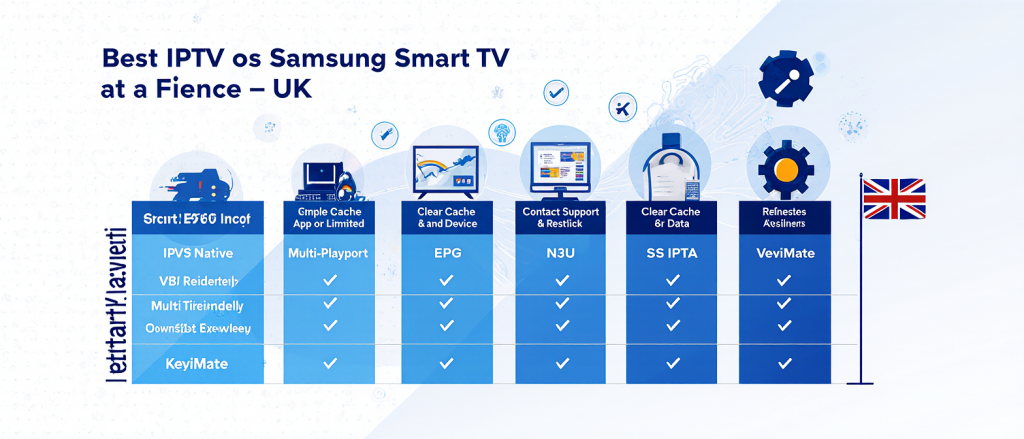
| App Name | Tizen Native | M3U Support | EPG | Multi-Playlist | Best For |
|---|---|---|---|---|---|
| Smart IPTV | Yes | Yes | Yes | Yes | Most users |
| IPTV Smarters | Via Sideload | Yes | Yes | Limited | Multi-device homes |
| SS IPTV | Yes | Yes | Yes | Yes | Balanced features |
| TiviMate | No (Android) | Yes | Yes | Yes | Premium experience |
In-Depth Review: The best IPTV Apps for Samsung Smart TV
Smart IPTV (SIPTV)
Smart IPTV remains the go-to choice for Samsung TV owners seeking a dedicated, reliable IPTV player. As a native Tizen application, it’s specifically optimized for Samsung’s operating system, ensuring smooth performance and minimal buffering. The app supports standard M3U playlists and XMLTV EPG formats, providing comprehensive channel organization and program information.
Pros:
- True native Tizen application
- Simple, intuitive interface
- Reliable playlist management
- Regular updates and bug fixes
Cons:
- One-time payment required after trial
- Basic interface compared to some alternatives
Ideal For: Samsung TV purists who want a dedicated, stable IPTV solution without complex setups.
IPTV Smarters Pro
While not natively available on Samsung’s app store, IPTV Smarters Pro can be installed on compatible Samsung TVs through sideloading methods. This popular multi-platform application excels with its sleek, modern interface and comprehensive feature set including parental controls, favorites management, and multi-screen support.
Pros:
- Beautiful, user-friendly interface
- Support for multiple formats
- Regular feature updates
- Strong developer support
Cons:
- Requires sideloading on Samsung TVs
- Some advanced features need premium subscription
Ideal For: Users already familiar with IPTV Smarters on other devices who want consistency across their ecosystem.
TiviMate Compatibility & Workarounds
TiviMate, while highly regarded in the IPTV community, faces a significant limitation: it’s exclusively designed for Android devices and isn’t compatible with Samsung’s Tizen OS. However, determined users can still access TiviMate’s premium features through alternative methods:
Android TV Box Solution: Connect an affordable Android TV box (like Nvidia Shield or Mi Box) to your Samsung TV’s HDMI port. This approach lets you enjoy TiviMate’s sophisticated interface, recording capabilities, and multi-playlist management while using your Samsung display as a monitor.
Pros:
- Access to TiviMate’s full feature set
- Superior customization options
- Advanced recording capabilities
- Multiple playlist management
Cons:
- Requires additional hardware
- Extra remote control needed
Ideal For: IPTV enthusiasts who prioritize features and customization over simplicity.
SS IPTV
SS IPTV offers another Tizen-compatible solution that balances functionality with accessibility. The application serves as both a player and portal, supporting various playlist formats and providing reliable EPG integration. Its straightforward setup process makes it popular among IPTV beginners.
Pros:
- Native Samsung TV support
- Simple installation process
- Reliable performance
- Good playlist management
Cons:
- Interface feels dated
- Limited customization options
Ideal For: Users seeking a straightforward, no-fuss IPTV player with solid core functionality.
How to Install IPTV Apps on Samsung Smart TV
Official Samsung App Store Method
- Press the Home button on your Samsung remote
- Navigate to Apps and select the Search function
- Type “Smart IPTV” or “SS IPTV” in the search field
- Select the app from search results and click Install
- Launch the app and note your TV’s MAC address (usually displayed on screen)
- Register this MAC address with your IPTV provider
Sideloading Method for Unavailable Apps
For applications not available in Samsung’s official store:
- Enable Developer Mode on your Samsung TV:
- Go to Settings > System > Developer Mode
- Turn on the option and note the IP address displayed
- Using a computer on the same network, access the TV’s IP address in a web browser
- Upload the application package files through the development interface
- Install and launch the application from your app list
Note: Sideloading may void your warranty and requires technical confidence.
Troubleshooting Common IPTV Issues on Samsung TV
Buffering and Playback Problems
Buffering remains the most common complaint among IPTV users. These solutions typically resolve the issue:
- Check Your Internet Connection: Samsung Smart TVs perform best with stable 25+ Mbps connections for HD streaming. Use a wired Ethernet connection instead of Wi-Fi when possible.
- Adjust Streaming Quality: Lower the resolution in your IPTV app settings if your internet bandwidth is limited.
- Clear Application Cache: Navigate to Settings > Support > Device Care > Manage Storage to clear your IPTV app’s cache.
- Close Background Applications: Multiple running apps can consume processing power needed for smooth IPTV playback.
Application Crashes and Freezes
If your IPTV app frequently crashes or freezes:
- Update the Application: Check for updates in the Samsung App Store
- Reinstall the Application: Uninstall and freshly install the app
- Update TV Firmware: Ensure your Samsung TV has the latest system software
- Factory Reset: As a last resort, reset the TV while preserving your settings
Playlist Loading Errors
When your IPTV app fails to load playlists:
- Verify Playlist URL: Ensure the M3U link from your provider is correct
- Check Subscription Status: Confirm your IPTV subscription is active
- Try Alternative Formats: Some apps work better with Xtream Codes API instead of M3U
- Contact Your Provider: Server issues often cause playlist problems
Frequently Asked Questions
Is IPTV legal on Samsung Smart TV?
IPTV technology itself is legal. However, content legality depends on whether your provider holds proper broadcasting rights. Always use licensed services.
Why can’t I find certain IPTV apps in Samsung’s app store?
Samsung’s Tizen OS has different app availability compared to Android TV. Many developers prioritize Android due to its larger market share.
Do I need a VPN for IPTV on Samsung TV?
A VPN isn’t mandatory but recommended for privacy and potentially bypassing ISP throttling. Some IPTV services may require VPN access for geographic restrictions.
What’s the best internet speed for IPTV on Samsung TV?
For standard definition: 10+ Mbps, HD: 15-25 Mbps, 4K: 25+ Mbps. These are per stream requirements.
How do I update my IPTV app on Samsung TV?
Open the Samsung App Store, navigate to My Apps, and check for updates. Enable automatic updates for convenience.
Can I use the same IPTV subscription on multiple devices?
Most providers allow 1-5 simultaneous connections depending on your subscription plan. Check with your specific provider.
Why does my IPTV keep buffering on Samsung TV but not on other devices?
This often indicates Wi-Fi reception issues specific to your TV’s location or processing limitations of older Samsung TV models.
Ready to Transform Your Viewing Experience?
Finding the best IPTV app for Samsung Smart TV ultimately depends on your specific needs and technical comfort level. For most users, Smart IPTV (SIPTV) provides the ideal balance of native compatibility and reliable performance. If you’re willing to explore slightly more technical setups, the sideloading approach opens doors to applications like IPTV Smarters Pro. For the ultimate IPTV experience with TiviMate, consider complementing your Samsung TV with an Android TV box.
Ready to start streaming? Visit UKStreamly.co.uk for premium IPTV service perfectly optimized for Samsung Smart TVs, complete with easy setup guides and dedicated customer support.