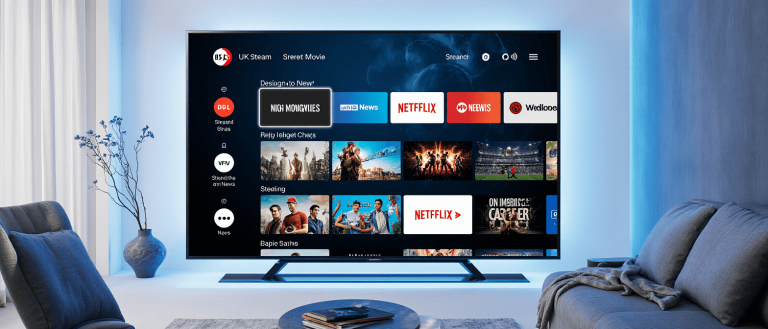

For UK streamers, a top-notch IPTV subscription is only half the battle. The best IPTV players are the essential piece of software that transforms your device into a powerful entertainment hub, letting you navigate channels, discover shows, and enjoy a seamless viewing experience.
Choosing the right player is crucial. A good one provides a slick, intuitive interface, reliable playback, and features that make watching TV a pleasure.
A poor one can leave you frustrated with constant buffering and a confusing guide. This guide will walk you through the top IPTV players for every device in the UK, from the popular Amazon Firestick to Android smartphones and Windows PCs.
Table of Contents
Key Features to Look for in an IPTV Player
Before diving into our top picks, it’s important to know what separates a good IPTV player from a great one. Here are the essential features to consider:
- M3U Playlist and Xtream Codes API Support: A versatile player should allow you to import your channel list either via a standard M3U URL or by logging in with a username, password, and server URL using the Xtream Codes API . This gives you flexibility with different types of IPTV services.
- Electronic Program Guide (EPG): An EPG is your digital TV guide. It displays what’s currently playing and what’s coming up on all your channels. A player with strong EPG support is non-negotiable for easy navigation .
- User-Friendly Interface and Navigation: You should spend your time watching content, not searching for it. Look for players with a clean, logical layout, easy-to-access favourites, and smooth scrolling through channels and categories .
- High-Quality Streaming and Stability: The player must efficiently decode streams to deliver smooth, buffer-free viewing in HD and 4K. Stability is key—you don’t want the app crashing during a big game or movie night .
- Multi-Device Support: The best players offer versions for all your devices, including Firestick, Android TV, smartphones, and Windows PCs, ensuring a consistent experience across your home .
Top IPTV Players for Amazon Firestick
The Firestick is a favourite among cord-cutters for its portability and affordability. These players are perfectly optimized for it.
| Player | Key Features | Best For |
|---|---|---|
| IPTV Smarters Pro | User-friendly interface, Xtream Codes login, support for live TV, VOD, and catch-up TV . | Firestick beginners and users who prefer a simple, guided setup. |
| TiviMate | Highly customizable interface, sophisticated EPG management, support for multiple playlists (cited in user discussion as being well-suited for IPTV . | Users wanting a premium, cable-TV-like experience with deep customization. |
| Sparkle TV | Modern interface, responsive developer, stable performance with large channel lists. | Users seeking a reliable and modern alternative to TiviMate. |
Quick Setup Tip: To install these players on your Firestick, you’ll need to enable apps from “Unknown Sources” in your settings. Then, you can use the Downloader app to sideload the application file directly.
Top IPTV Players for Android TV & Smartphones
For those using Android TV boxes, Google TV, or Android smartphones, these apps deliver a premium mobile and big-screen experience.
- IPTV Smarters Pro: A consistent favourite, its compatibility with both Android TV and mobile devices makes it a versatile choice. You can start watching on your TV and continue on your phone without missing a beat .
- OTT Navigator: This player is known for its powerful features and highly customizable interface. It offers advanced options for organising channels and creating a unique viewing setup tailored to your preferences.
- Perfect Player: Praised for its simplicity and low resource usage, Perfect Player is a lightweight yet effective option. It’s particularly good for older Android boxes that may have less processing power.
Tips for Smooth Streaming on Android:
- Clear Cache Regularly: Over time, cached data can slow down your app. Periodically clear the app’s cache from your device’s application settings to maintain performance .
- Use a Wired Connection: For the most stable connection on an Android TV box, use an Ethernet adapter instead of Wi-Fi to reduce buffering .
Top IPTV Players for Windows & Mac
For viewers who prefer watching on a computer, these desktop players offer robust functionality.
| Player | Key Features | Best For |
|---|---|---|
| MyIPTV Player | Native Windows app available from the Microsoft Store, clean and simple interface. | Windows users who want a straightforward, no-fuss player from a trusted source. |
| VLC Media Player | The “Swiss Army knife” of media players; free, open-source, and can open M3U playlist URLs directly. | Tech-savvy users and anyone who wants a free, versatile, and reliable player. |
| Kodi | A massive multimedia centre that can be enhanced with IPTV add-ons. Incredibly powerful and customizable. | Users who want an all-in-one solution for their entire media library, not just live IPTV. |
Installation and Setup Tip: When setting up your player on Windows or Mac, your IPTV provider will typically give you an M3U URL. Simply paste this link into the designated section in your player’s settings to load all your channels and, in many cases, the EPG automatically.
Free vs Paid IPTV Players
Many excellent players are free, but often with limitations. Free versions might show ads, lack key features like recording, or restrict the number of devices you can use.
Upgrading to a premium or paid version of a player like TiviMate is often worth the small investment. The benefits usually include:
- An ad-free viewing experience.
- Access to advanced features like recording live TV to external storage.
- The ability to use the player on more devices simultaneously.
- More frequent updates and dedicated customer support.
Common IPTV Player Issues and How to Fix Them
Even the best setups can have occasional hiccups. Here are solutions to the most common problems.
- Buffering and Freezing: This is often the most frequent complaint. First, check your internet speed—you need at least 15-25 Mbps for HD and 25+ Mbps for 4K streaming . If your speed is sufficient, try switching your Firestick or Android device from a 2.4GHz Wi-Fi band to a 5.0GHz band for a stronger signal, or use a wired Ethernet connection . Using a VPN can also help if your Internet Service Provider (ISP) is throttling your connection .
- EPG (Guide) Not Working: If your electronic program guide is empty or showing incorrect information, the first step is to refresh the EPG data within your player’s settings . If that doesn’t work, double-check that the EPG URL provided by your service is correct and properly entered. A small typo can cause it to fail .
- M3U Playlist Not Loading: Ensure your subscription is active and the M3U URL from your provider is correct. If you’re using Xtream Codes, verify your username, password, and server URL. Sometimes, simply restarting your streaming device and router can resolve connection glitches .
Ready to Stream? Get the Best IPTV Service Today!
The right IPTV player perfectly complements a high-quality IPTV service, transforming how you watch television. For Firestick and Android users, IPTV Smarters Pro offers the best balance of simplicity and power, while TiviMate is the king of customization. Windows and Mac users can’t go wrong with the versatility of VLC Media Player.
A great player needs great content to unlock its full potential. The best IPTV players deliver a seamless, enjoyable interface, but a reliable service provider is what fills that interface with thousands of live channels, movies, and TV shows.
Ready to build your ultimate entertainment setup? Visit UKStreamly.co.uk to explore our premium IPTV subscriptions, perfectly tailored for UK streamers. Find the perfect plan for your needs and start your streaming journey today